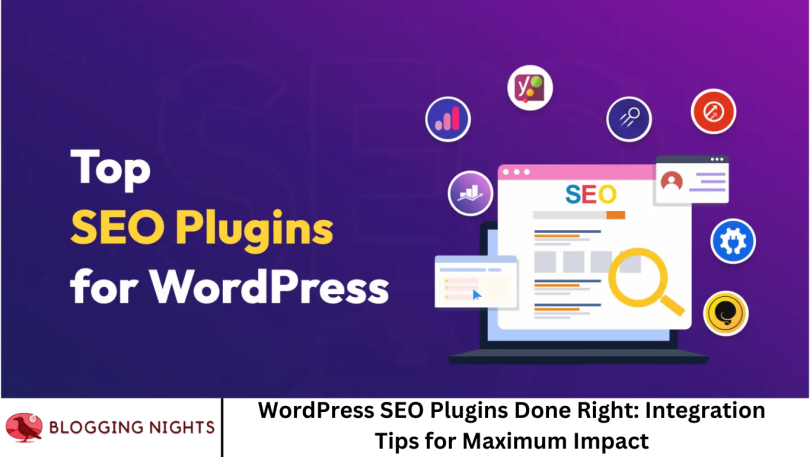

Search engine optimization (SEO) is the lifeline of website visibility, and for WordPress users, SEO plugins are the powerhouse tools that make on-site optimization easier, smarter, and more effective. However, simply installing an SEO plugin isn’t enough. If not properly configured and integrated, even the most powerful SEO tools won’t yield their full potential.
In this comprehensive guide, we’ll walk you through how to integrate WordPress SEO plugins the right way—maximizing impact, boosting rankings, and ensuring your site is fully optimized for search engines.
Why SEO Plugins Matter for WordPress
WordPress powers over 40% of the web, making it one of the most widely used content management systems. Its flexibility and ecosystem of plugins allow for near-endless customization—especially in SEO. The right SEO plugin:
- Automates technical SEO tasks
- Provides content optimization suggestions
- Improves crawlability and indexing
- Helps with meta data management
- Integrates with analytics and search console tools
When properly used, SEO plugins can turn a basic WordPress site into a search engine powerhouse.
Popular WordPress SEO Plugins to Know
Before diving into integration tips, let’s briefly highlight some of the most popular SEO plugins:
Yoast SEO
Yoast is one of the oldest and most comprehensive SEO plugins, known for content readability checks and advanced meta customization.
All in One SEO (AIOSEO)
Ideal for beginners and pros alike, AIOSEO offers user-friendly setups and a robust feature set including schema markup, smart sitemaps, and more.
Rank Math
Rank Math is gaining popularity due to its advanced SEO analysis, modular framework, and AI-based content optimization.
SEOPress
A clean, ad-free alternative with strong WooCommerce support and Google Structured Data support.
The SEO Framework
A lightweight plugin known for its speed and automation, great for minimalist site owners who still want solid optimization.
Step-by-Step: Integrating WordPress SEO Plugins the Right Way
Choose One Primary SEO Plugin
Multiple SEO plugins can cause conflicts. Choose the one that fits your needs and deactivate or uninstall others. Rank Math, Yoast, and AIOSEO all offer import tools to bring settings from other plugins.
Run the Plugin’s Setup Wizard
After installation, always run the plugin’s onboarding wizard. This typically covers:
- Site type (blog, eCommerce, news)
- Homepage SEO title/meta
- Social media settings
- Schema markup preferences
- Webmaster tool verifications (Google Search Console, Bing, etc.)
Doing this ensures a solid foundation from the start.
Configure Meta Tags and Titles
Properly crafted titles and meta descriptions can significantly improve click-through rates. Your SEO plugin should allow:
- Post- and page-level meta customization
- Dynamic variables (e.g., %%title%% | %%sitename%%)
- Canonical URL settings to prevent duplicate content
Consistency across posts and pages is key.
Generate and Submit an XML Sitemap
An XML sitemap helps search engines find and index your content faster.
- Make sure your plugin automatically generates a sitemap.
- Submit it to Google Search Console and Bing Webmaster Tools.
- Check it regularly for errors.
Optimize Content Using On-Page Analysis
Most SEO plugins offer real-time SEO scoring:
- Focus keyword density
- Readability analysis
- Internal linking suggestions
- Image alt tag checks
Rank Math and Yoast shine in this area. Follow their content improvement tips, but don’t over-optimize.
Enable Schema Markup
- Schema (structured data) enhances your listings with rich results (e.g., star ratings, FAQs, breadcrumbs).
- Choose the right schema type for each post (article, product, recipe, etc.)
- Use built-in tools to customize it or integrate with plugins like Schema Pro for advanced needs
Link Social Media Profiles and Optimize OG Tags
Social optimization matters for SEO. Your plugin should:
- Let you assign Facebook and Twitter preview images
- Customize Open Graph titles and descriptions
- Connect your Facebook App ID or Twitter handle
This ensures your content looks great when shared.
Enable Breadcrumb Navigation
Breadcrumbs improve site navigation and are favored by Google. Most SEO plugins let you:
- Add breadcrumb schema
- Customize the display format
- Integrate via shortcodes or PHP snippets in your theme
Clean Up Permalinks and URL Structures
Use SEO plugins to:
- Strip unnecessary stop words
- Force clean, keyword-rich slugs
- Avoid duplicate or thin content pages
Stick to concise URLs and redirect old URLs properly.
Set Up 301 Redirects and Monitor 404 Errors
Broken links can hurt SEO. Use SEO plugins (or integrate with tools like Redirection) to:
- Create 301 redirects
- Monitor and fix 404 errors
- Redirect outdated content to relevant pages
Rank Math has a built-in redirection manager, which is extremely handy.
Advanced Integration Tips for Developers and Agencies
If you’re managing multiple sites or working on high-stakes projects, consider these advanced tips:
Use Custom Fields and Dynamic Tags
Use ACF (Advanced Custom Fields) or other custom fields to dynamically populate SEO titles or schema using plugin filters or tags.
Integrate with Google Analytics and Search Console
Many plugins now support API-based integration:
- Pull in analytics insights
- Track keyword rankings
- Spot indexing issues
This closes the loop between content creation and performance monitoring.
Automate SEO Reports
Some plugins allow scheduled reporting—great for clients or editorial teams. Customize reports to include rankings, page health, and improvement areas.
Common Mistakes to Avoid
Installing multiple SEO plugins
Leads to conflicts and duplicate efforts.
Ignoring content quality
Plugins guide you, but real value comes from content that serves readers.
Over-stuffing keywords
Keyword stuffing still hurts rankings and user experience.
Forgetting mobile SEO
Use mobile-friendly meta previews and test with Google’s Mobile-Friendly Tool.
Neglecting site speed
SEO plugins can’t fix a slow theme or bloated hosting. Optimize images and use caching.
Monitoring Results After Integration
Once your SEO plugin is fully set up and integrated:
- Use Google Search Console to track impressions, clicks, and position changes
- Analyze page performance in Google Analytics
- Test schema implementation using Google’s Rich Results Tool
- Run regular SEO audits using tools like Ahrefs, SEMrush, or even free ones like Ubersuggest
Frequently Asked Question
What’s the best WordPress SEO plugin for beginners?
Answer: Yoast SEO and All in One SEO are great for beginners thanks to their user-friendly wizards and in-editor suggestions.
Can I use more than one SEO plugin on my WordPress site?
Answer: It’s not recommended. Multiple plugins can create conflicts and duplicate meta tags. Stick to one primary plugin and uninstall others.
How do I know if my SEO plugin is working?
Answer: Track changes in your site’s organic traffic, rankings, and click-through rates in Google Search Console. Also, use tools like PageSpeed Insights and rich snippet testers.
Is Rank Math better than Yoast SEO?
Answer: It depends. Rank Math offers more features in its free version and a cleaner interface. Yoast is more established with a larger community. Choose based on your feature needs and ease of use.
Do SEO plugins slow down WordPress sites?
Answer: Well-coded plugins shouldn’t cause noticeable slowdowns. However, excessive features or poorly optimized themes can impact performance. Use speed optimization tools like WP Rocket or LiteSpeed Cache in combination.
How often should I update my SEO plugin?
Answer: Always keep your SEO plugin up to date to benefit from security fixes, new features, and compatibility updates with Google’s algorithm changes.
Do I still need to build backlinks if I use an SEO plugin?
Answer: Yes! SEO plugins optimize your on-page SEO, but off-page factors like backlinks are crucial for authority and rankings.
Conclusion
WordPress SEO plugins offer immense power—but only if used thoughtfully. From setting up titles and schemas to monitoring results and avoiding plugin conflicts, your approach matters just as much as the tool itself. Whether you’re a solo blogger or a digital agency managing multiple clients, mastering SEO plugin integration ensures you’re not just showing up in search—but showing up strong.